


In today's market, we know customer acquisition is one of your biggest pain points.
Competition is fierce, advertising costs are rising, and ad attribution has become even more complex than it was before. That is why we launched Shopify Audiences for Shopify merchants earlier this year - to help you navigate through the uncertainty of finding more buyers.
Today, we're pleased to bring you a host of new and exciting features, including Shopify Audiences availability with Google. Shopify Audiences now lets you connect your Google Ads account to Shopify, accelerating our multi-platform strategy. Alongside the Google integration, our wider upgrades add greater flexibility and usability to Shopify Audiences. Black Friday, Cyber Monday and the holiday season are fast approaching, and together these features will better support you to find more customers.
What is Shopify Audiences?
Finding new customers through digital marketing is difficult and expensive, with ecommerce customer acquisition costs rising by as much as 200% over the last 18 months alone.
Shopify Audiences supports you in meeting this challenge head-on, leveraging our platform and machine learning to create custom audiences that maximize reach and help drive conversions. Post-campaign, audience-level insights provide unique analyses of which marketing tactics were most impactful based on channel, spend and sales.
How are we improving Shopify Audiences?
Here is a breakdown of the new features that enhance Shopify Audiences with the Google integration and more scope for cross-funnel campaigns:
Shopify Audiences availability with Google
Shopify Audiences now integrates with Google, an essential advertising platform for Shopify merchants.
When you log in to Shopify Audiences, you will see the option to connect a Google Account. Once connected, you can generate multiple, objective-based audiences using your store's specific customer data and export them to your Google Ads account. These audiences help you to reach customers across the marketing funnel, whether your objective is maximizing awareness or driving more conversions.
Shopify Audiences now supports ads delivered on Facebook, Instagram, Google Search, Google Display Network, YouTube, Gmail, and more. We are continuing our innovation in this space, with additional measurement and attribution features for Google planned for 2023.
"Shopify Audiences helps merchants find more buyers, while lowering acquisition costs. The Google integration unlocks an exciting channel for merchants to sell more, faster," says Daniel Debow, VP of Product, Shopify.
Storewide audiences
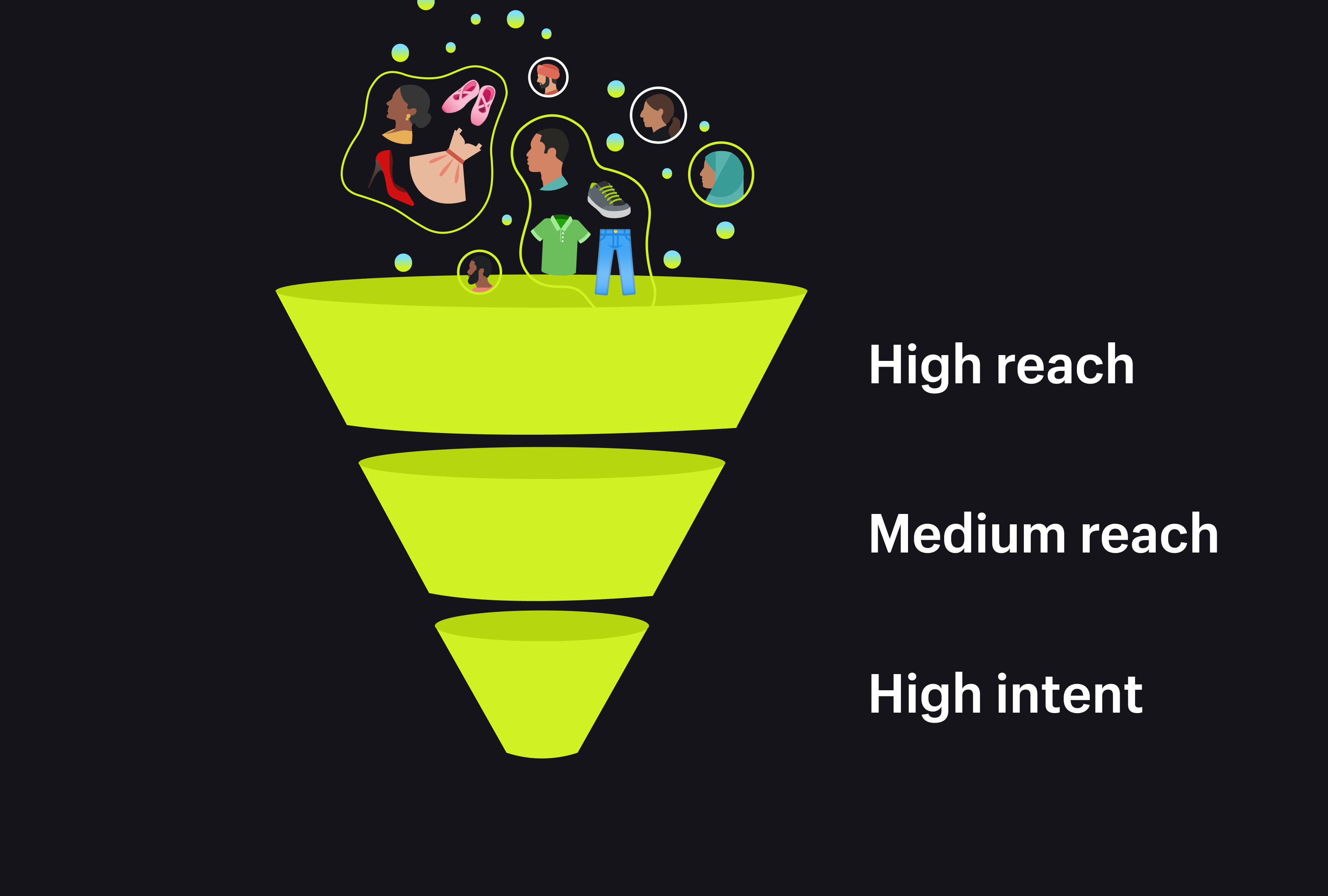
With storewide audience creation, you no longer need to have individual audiences for each product you want to sell. Audiences are now created at the store level, and are designed to find buyers across all of your store's product categories.
An example: if you are a merchant that sells apparel, earlier you would have had to create an audience for a specific shirt, and then another for a specific dress, and so on. This led to overlap between audiences created for multiple products. Now your audiences are storewide and objective-based, ranging from high-reach to high-intent. If you want to reach more customers, high-reach is for you. If you want to help drive conversions from a more specific audience, high-intent is the way to go.
By simplifying audience creation in this way, we are able to cater to campaigns across a range of marketing objectives. Additionally, this process allows us to automatically generate and refresh audiences.
Auto-generated and auto-refreshed audiences
Shopify Audiences now automatically generates multiple audiences. This feature supports your marketing campaigns whether you are looking to maximize reach or drive conversions.
Each time you log in, you will have three Meta audiences and two Google audiences which are automatically created and ready to use.
We have also enabled auto-refresh audiences to ensure that audience lists are always up-to-date and aligned with your campaign objectives. Instead of us prompting you to manually refresh your audiences every seven days, audiences will now be refreshed automatically and remain active throughout the lifecycle of your ad set.
Your bigger and better Shopify Audiences
You are now better equipped to capitalize on the holiday season with our enhanced Shopify Audiences.
Storewide audiences and newly-automated processes for generating and refreshing audiences enable you to unlock buyers at all stages of the marketing funnel, while Shopify Audiences availability with Google creates a seamless workflow with this key advertising platform.
Explore further and connect your Google Account with Shopify Audiences today.
Shopify Audiences FAQ
Which stores are eligible to use Shopify Audiences?
Shopify Audiences is available to eligible stores on the Shopify Plus plan that use Shopify Payments and are based in the United States or Canada. Stores also need Shopify Network Intelligence enabled in their privacy settings before they can install and use the app. Merchants can check their eligibility status directly from the Shopify admin before setting anything up.
Does Shopify Audiences cost anything to use?
Shopify Audiences is free to install and use for all eligible Shopify Plus stores, with no separate subscription fee for the app itself. Store owners only pay the advertising platform directly for campaign costs once a campaign is activated, so the tool's audience-building features add no extra line item to a Shopify bill.
How do I set up Shopify Audiences in my store?
Setting up Shopify Audiences starts in the Shopify admin, where merchants open the Audiences app under Apps and click Get Started to agree to the terms. From there, store owners turn on data sharing in the Data Sharing section, confirming compliance with US state and other applicable privacy laws before the app can generate and export audience lists to connected ad platforms.
How does Shopify Audiences protect customer data privacy?
Shopify Audiences is built to comply with applicable privacy laws in each region where a merchant operates, and store owners must obtain any required permissions before sharing customer data for it. To participate, merchants opt in to contribute data to Shopify Network Intelligence, which anonymizes and aggregates customer information before it's used to build audience lists.
Can I exclude specific customers from my Shopify Audiences lists?
Store owners can't add or remove individual customers from one specific audience, but they can exclude a customer from every audience at once. This exclusion is managed from the settings page inside the Shopify Audiences app, giving merchants a way to honor customer opt-out requests without rebuilding each audience list manually.


